LosingIt!

The holidays were not a good time for me. I overindulged and ended up gaining a few extra pounds. I was really not happy with how my clothes were fitting and how I was feeling, so I started tracking my calories, and I’m happy to report that since the new year, I am down 10 pounds.lost

I’ve used a lot of tracking apps over the years, but this time I started using LoseIt! and have actually stuck with it. I also like that LoseIt! isn’t only an app, but they also have a great website that you can use to keep track of your goals. Since I’m using the premium version of the program, I am able to set different goals for myself, and connect with friends who are using LoseIt! to look for motivation. My goals are to drink at least 100 oz of water a day and work out at least three times a week. I’ve been slacking on the workouts – bad Sylvia! The premium version also allows you to connect all sorts of cool gadgets like a FitBit and Nike Fuel Band, but I don’t have one of those yet. photo(18)

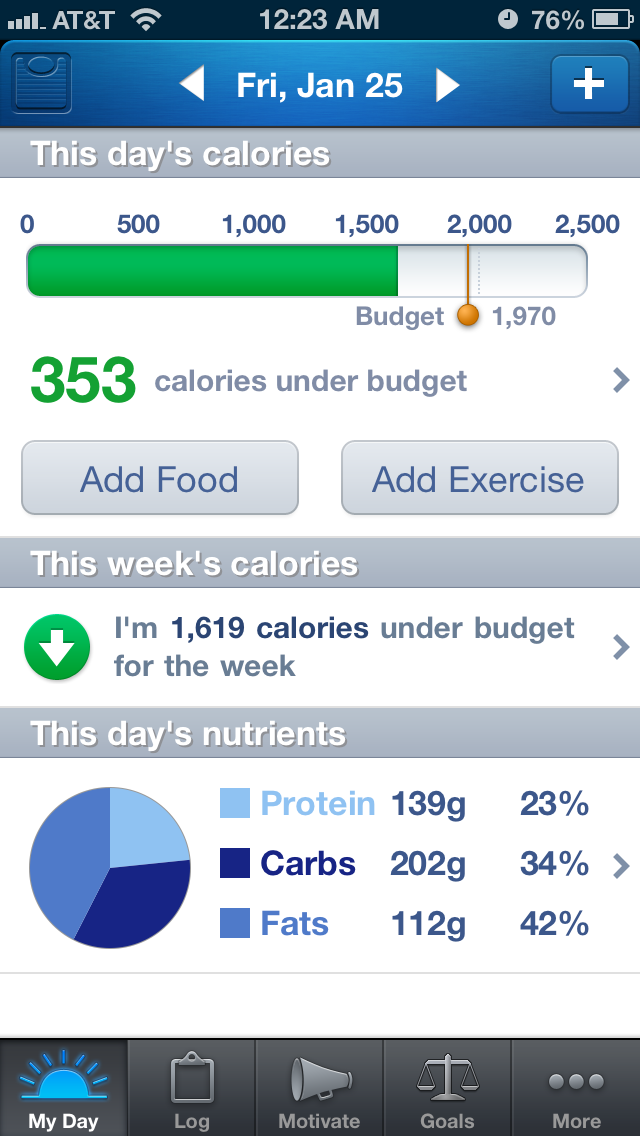
If you’re a nerd like me and enjoy analyzing things to death, you will love all the features of the LoseIt! website.  There are charts and graphs to track almost everything. You can track your nutrient intakes, calories eaten and burned, as well as, weekly spreadsheets which show you everything you tracked over the week. It’s a good way to reflect on your week, and make changes where necessary.

nutrients

But most importantly for me, its easy to use and allows me to stay accountable to myself with my eating. I have gotten into the habit to logging everything that goes into my mouth almost each day (I tend to fall off a bit on weekends), and it makes it easier for me to stay on track. Sometimes I get home from school in the evening and I feel like eating something, not because I’m hungry, but just because. I’ll check out my LoseIt! log to see how many calories I’ve eaten throughout the day, and if I’m still under I’ll have a snack, otherwise, I drink some water or tea and it does the trick too. I know that if I wasn’t focusing on tracking, I could eat half the fridge just out of boredom…not good! Logging has become an essential part of following a healthy lifestyle for me.

My ultimate goal which I have set in LoseIt! is to get back to my pre-pregnancy weight, and I’ve got a way to go. I’ve set my goal to lose 1 1/2 pounds per week, and if all goes well, you might see me in a bikini by this summer. Fingers crossed!

Do you log your calorie intake? How?

I received this product for review purposes. All opinions are my own.

Share-worthy Fitness Apps

I must confess, I am a tech junkie. My phone is glued to my hand way too often and I am always carrying around my charger in case my battery dies. If there is an app for that, I probably already have it on my iPhone and iPad. That being said, technology isn’t always a bad thing. It can make our lives easier, more organized and in check. There are thousands, maybe millions, of fitness apps on the market these days, and while I haven’t tried them all yet, I wanted to share my thought on three that I really enjoy.

 First up is iFit Running. Run tracking apps are a dime a dozen these days and I have about four on my phone right now, (I may be an app hoarder) but iFit running is my go to running app lately. I really like its interface and that is it easy to use with the quick start option. I also really like that it’s not your typical tracking app where you press start and go. You can get it for distance, time and calories burned, so when you reach your goal, it tells you that you can stop now!

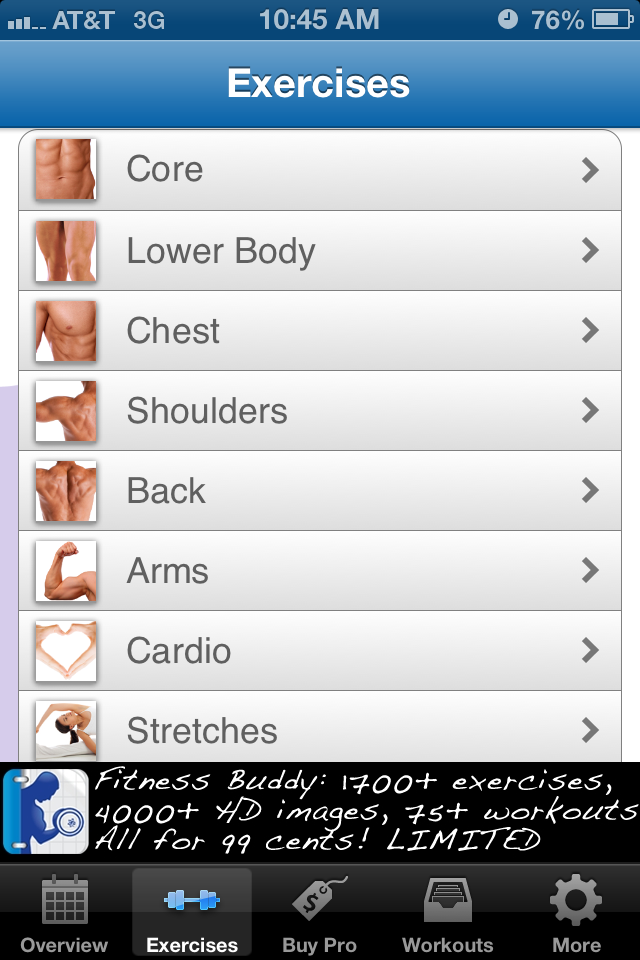
Workout Buddy is something that Tommy told me about. This is a great app for when you want to workout, but just don’t know what to do. With Fitness Buddy, you can create your own workouts by selecting the part of your body you want to work out and then selecting which moves you can do with the equipment – free weights, kettlebells, resistance bands, cable machine (or lack of) that you have on hand. You can also use to to track your weights and reps and it has step by step photos of how to do each workout correctly. It’s a great app for those who are beginning with weight training.

Last but not least, is the Foam Roller App. If you’re like me, than you never really knew there was a correct technique for foam rolling, you kind of just roll where it hurts to soothe your muscles. Enter Foam Roller App.

Not only does this app have videos to show you how to foam roll effectively, it also has written explanations and little tips on how to move which body part to be most effective.

I hope you find these apps helpful!

What are your favorite apps? 

[FTC: I was provided free downloads of the iFit Running and Foam Roller App. All opinions are my own!]

Return to Running

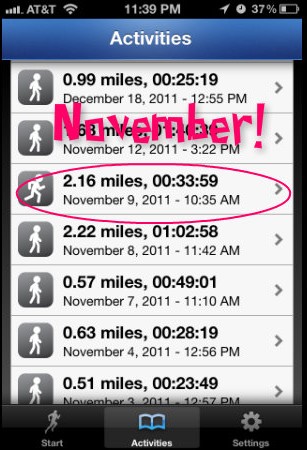
Amidst the studying and Cinco de Mayo celebrations this weekend, I also found time to run. Let me tell you, it felt amazing to put on my sneakers and go for a run on a sunny Sunday afternoon. I woke up on Sunday with an itch to run and I had so much energy that Tommy practically pushed me out the door, to burn off some of the energy. Since it had been NOVEMBER(!) the last time I did a run outside, I downloaded the Couch to 10K app to get me back on track with running.

After doing I bit of research, I decided on the 10K Runner app to help me get back into the swing of things.

My first run was super easy intervals of 1 minute running and 1.5 minutes of walking. Even when I was done with the recommended program for the first run, I felt like I could have gone on for much longer, which is a lot more than I can say for how I started out last year.

The run was surprisingly relaxing and totally cleared my head which has been abuzz with all things school for the past couple of weeks. I cannot wait until school is done so I can relax and do nothing for 3 months, except run, that is! ;) But for now, its back to studying!

Have a great Tuesday!

Are you a runner? What fitness apps do you use, if any?


A Little R and R

Good morning darlings! Hope everyone had a great weekend because I sure did. I got some rest and relaxation and got to spend quality time with my two men. What more could a girl ask for?

Since the weather on Saturday was more like early spring then the middle of winter, Munchkin and I spent a good part of the day outdoors.

We ran up the hill..

and down the hill.

And planted a stick tree.

We had a yummy dinner following a new recipe from the Jan/Feb issue of Everyday with Rachael Ray.

This was called Chicken Parmatouille. It was supposed to be a cross between Chicken Parmesan and Ratatoullie. I liked it, the veggies with a touch of mozzarella cheese were super tasty.

In the evening, Tommy and I enjoyed some time sans Munchkin and went to the movies to see Extremely Loud and Incredibly Close. I had read the book over the summer and was very excited to see the movie, ever since I heard it was coming out in theaters.

If you have the chance, go see it. It will confuse you, make you laugh and make you cry. I also bet that you won’t be able to guess the ending, like you can with most movies these days.

Sunday was a lot of lounging around in pajamas and being lazy. It felt real good to do nothing all day.

I also picked up a new obsession. Thanks to the incessant ads that would pop up while I was playing Words With Friends, I decided to download Scramble With Friends. If you like word games, get this one. It’s soo addicting! If you have this game, play with me! My username is xsylvia.

Once we got back to New York, Tommy and I headed over to the supermarket to get some groceries. I picked up a shnazzy new filter bottle. I wanted to get a bobble, but this was on sale for like $6 so it won. As long as it gets the job done! I drink a ton of water during the day and since I have to go from work to school, I needed something to replace plastic bottles.

Okay kids! I have to run. Today is my loooong day, so wish me luck!

Have a great Monday!

What did you do this weekend? What’s the last good movie you saw in theaters?

Tech Savvy Munchkin

As I write this munchkin is sitting on the couch laughing hysterically at Talking Tom.  Basically its an app for iPhone of a cat that repeats everything you say in a funny high pitched voice. So munchkin talks and laughs and the cat repeats everything, which makes munchkin laugh even more and you get the picture. It really surprises me how well he knows how to use my iPhone. My mother has an iPhone also, and I’m pretty sure munchkin knows how to do more on it then she does, at 15 months. I also found this in my phone last night.

Apparently munchkin is taking a trip somewhere and needed to get directions. I hope I’m invited. ;)

Anyway, breakfast was a yummy yogurt, flax granola, banana and craisin bowl.

I tried the Chobani Strawberry banana for the first time and it was pretty good.

I keep buying the lemon flavor Chobani because for some reason lemon flavored yogurt really appeals to me. I haven’t been able to try it yet because someone keeps getting to it in the fridge before I do. I think my mom might be the culprit! I think I’m going to have to eat it as soon as I get back from the supermarket next time, if I ever want to try it.

Two days separate me from my well deserved three month summer vacation.  Gotta hit the books for a few more days before I’m free!

Sleep Shopping

While checking my e-mail this morning I saw that I received an order confirmation from HauteLook.  I immediately got a little scared because I didn’t remember placing an order and if I’ve started sleep shopping than I have a real problem.  When I opened the HauteLook app on my iPhone I noticed my purchase was the first item in the first sale on today’s list.  I knew only one small statured man could be behind this.  Munchkin is a huge fan of my iPhone.  While some people say that you shouldn’t entertain your kids with electronics, there is nothing that will quiet him down on a long car ride like his favorite Jack and Jill app.  Luckily, the makeup item he purchased (Mother’s Day gift attempt, maybe?) was only $10 so even if I was unable to cancel my order I wouldn’t be out a ton of money.  I called up HauteLook customer service and the lady on the other end assured me that this was a very common occurrence and that my money would be refunded in 3 to 5 business days.  Crisis averted.


Don’t mind the one sock it’s impossible to keep em on.


Like Munchkin, I am a huge fan of my iPhone as well.  I got my first iPhone four years ago and I currently have the iPhone 4, which is basically my life folder into a little rectangular device.  Since my iPhone goes everywhere I go, even international vacations, I felt a little uneasy when I read this article.  Apparently, with the last iOS update, Apple decided to add a special new feature – secret tracking.  While it is still unknown what they would be using the tracking for, making a future new feature, it is a little scary because unlike Location Services which some apps use, you can’t disable the new tracking feature.  According to the article, the new tracking which created a file on your phone is a lot more accurate than the Location Services feature.  Your location can be tracked on a map and will show even which blocks you walked down in your city.  While I have nothing to hide and I’m not taking part in any shady deals in strange parts of the city, I still feel like Apple has gone a little too far.  Hopefully, they will release a statement soon and explain this new ‘feature.’ I have faith in you Steve Jobs – I hope you’re using your powers for good not evil. ;)